
Format Painter is a very useful tool that helps you
👉 copy formatting from one cell and apply it to another
This saves a lot of time because you don’t need to format each cell manually.
Table of Contents
What can Format Painter copy?
It copies things like:
- Font (size, color, bold…)
- Cell color (background)
- Borders
- Number format (Currency, %, Date, etc.)
How to Use Format Painter
1. Select the cell with the format you like (e.g., cell B2)
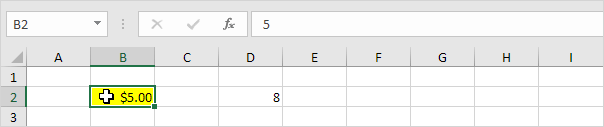
2. Go to the Home tab, click Format Painter.
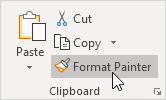
A moving dashed border appears around cell B2 and the mouse pointer changes to a plus and a paintbrush.
3. Click the cell you want to apply it to (e.g., D2)
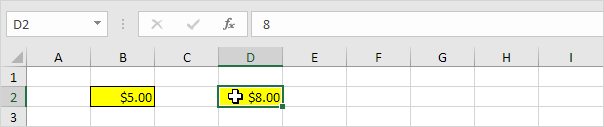
Copy format to MULTIPLE cells
If you want to apply the same format to many cells:
- Select the original cell
- Double-click the Format Painter button
- Click or drag over multiple cells
👉 The format will be applied to all selected cells.
How to Stop Using Format Painter
- Click the Format Painter button again
- OR press Esc