Table of Contents
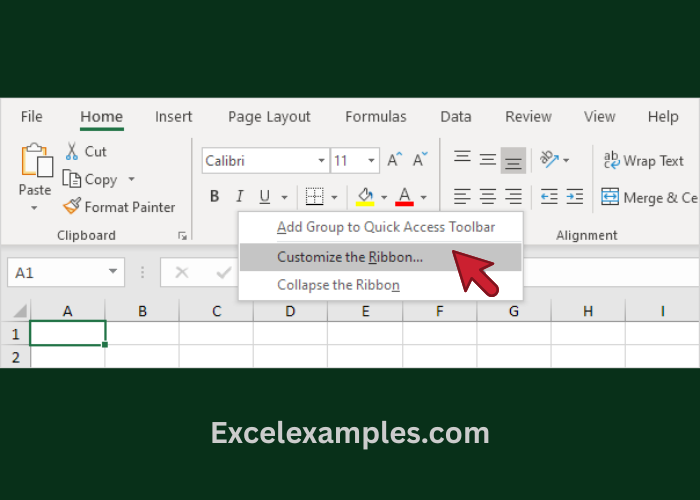
Step 1: Open Ribbon Settings
- Right-click anywhere on the Ribbon
- Click Customize the Ribbon
Step 2: Create a New Tab
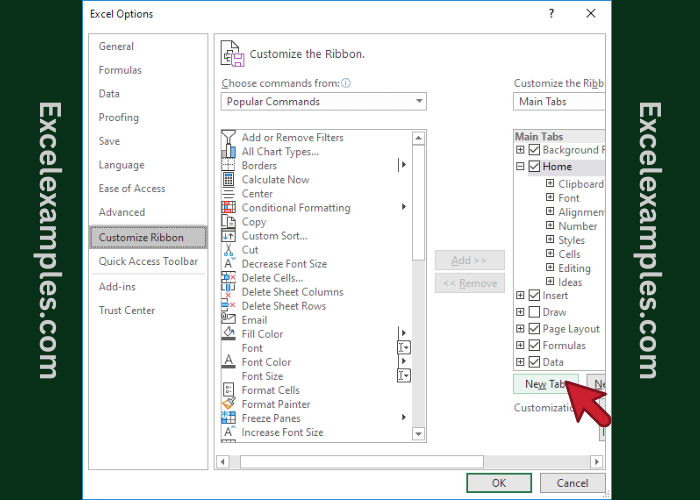
- Click New Tab
- Excel will create:
- A new tab
- A new group inside that tab
Step 3: Add Commands
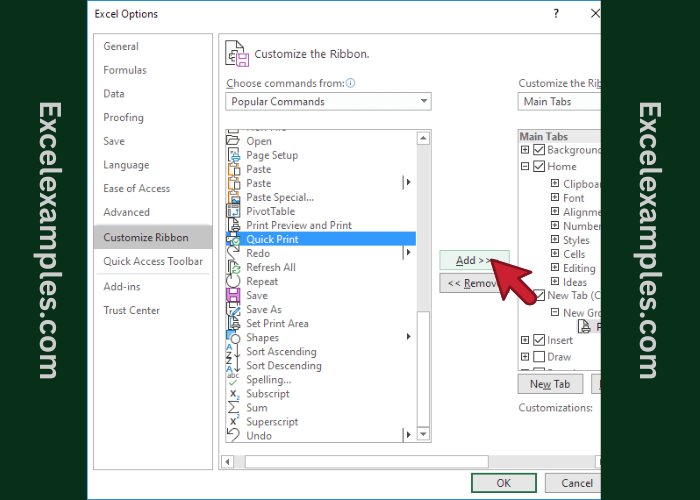
- On the left side, choose commands (for example: Copy, Paste Values, Sort, Filter)
- Click Add to move them into your new group
You can add any commands you use often.
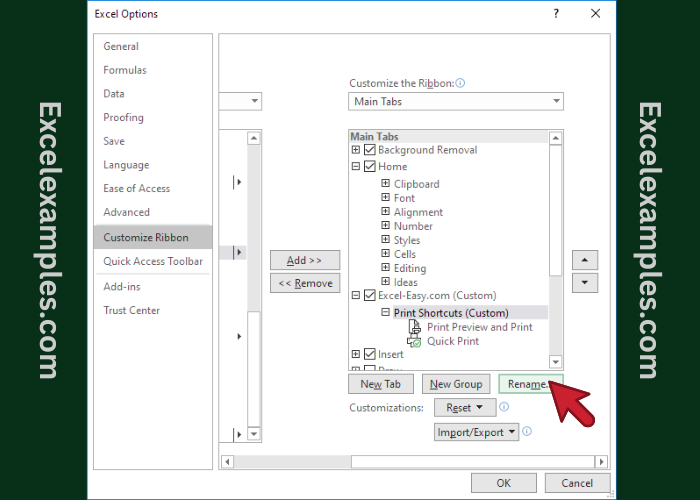
Step 4: Rename the Tab and Group
- Select the tab or group
- Click Rename
- Give it a clear name, such as:
- “My Tools”
- “Daily Work”
- “Excel Basics”
This helps you remember what the tab is for.
Step 5: Click OK
- Click OK
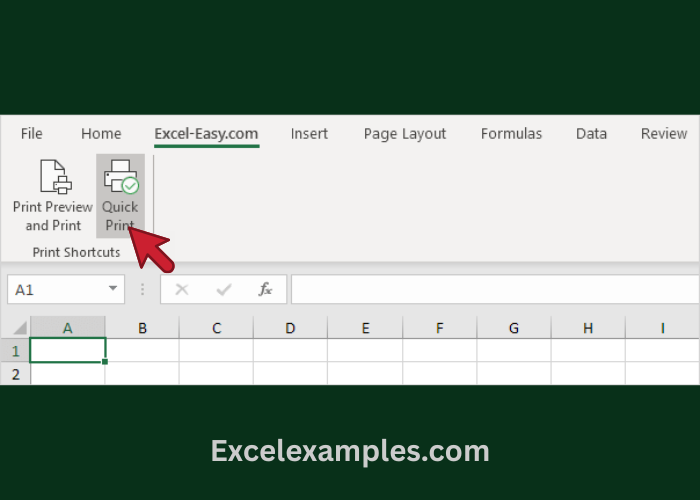
- Your new tab will appear on the Ribbon