
Most charts in Excel appear on the same worksheet as the data. These are called embedded charts.
However, you can move a chart to its own sheet, called a chart sheet.
Table of Contents
Move a Chart to a Chart Sheet
Follow these steps:
1. Select the chart
Click the chart you want to move.
2. Open the Move Chart option
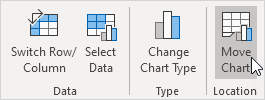
Go to the Chart Design tab.
In the Location group, click Move Chart.
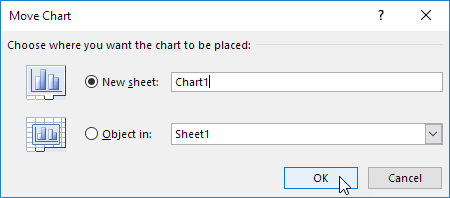
The Move Chart dialog box will appear.
3. Create a new chart sheet
Select New sheet and type a name for the chart sheet.
4. Click OK
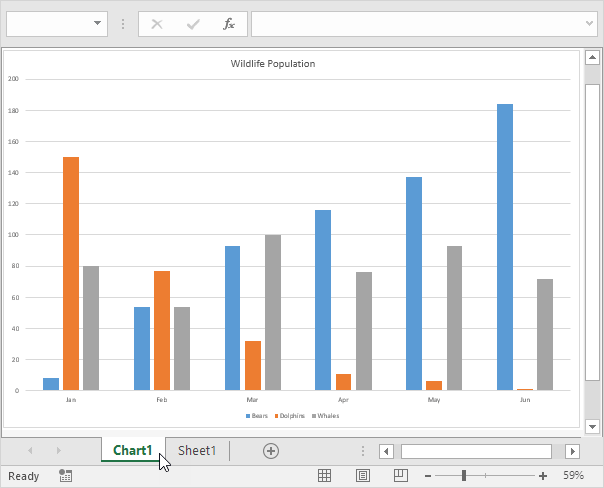
Excel will move the chart to a separate sheet that contains only the chart.
Result: Your chart is now displayed on its own chart sheet.
Move the Chart Back to the Worksheet
If you want to move the chart back to the worksheet:
- Select the chart.
- Go to Chart Design → Move Chart.
- Choose Object in.
- Select the worksheet where you want the chart.
The chart will return to the same worksheet as the data.